Preventing Hard Drive Failure: A Mac User's Guide
Hard drive failure is a concern for any Mac user, potentially leading to the loss of valuable data and impacting productivity. Fortunately, you can take proactive measures to prevent this issue and ensure your Mac stays reliable. This guide offers practical tips and strategies to help you avoid hard drive failure, safeguarding your data and keeping your Mac in top condition.
Understanding Hard Drive Failure
.png)
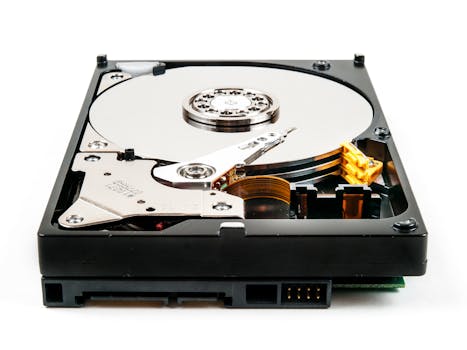
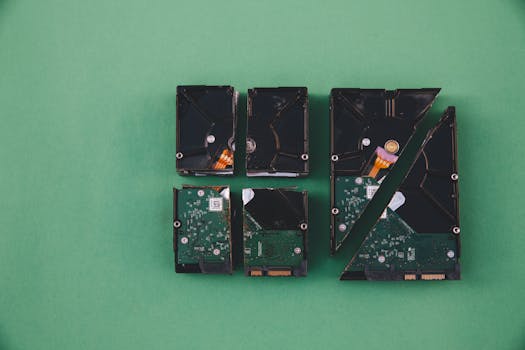
To effectively prevent hard drive failure, it's important to understand its causes. Mac users might face hard drive issues due to physical damage, overheating, firmware corruption, or the natural aging of the drive. Early signs of potential failure include frequent system freezes, missing files, and unusual noises. Recognizing these signs early can help you take timely preventative actions.
Regular Backups: Your First Line of Defense
The best defense against data loss from hard drive failure is to maintain regular backups. Mac users can utilize Time Machine, a built-in backup feature that automatically saves copies of all your files, including applications, music, photos, emails, and documents. To set up Time Machine:
- Connect an external drive to your Mac.
- Open System Preferences and select Time Machine.
- Choose the disk you want to use, and the backup process will start automatically.
Additionally, consider cloud storage services like iCloud or Dropbox for an extra backup layer, which can protect your data from physical damage to local drives.
Optimizing Disk Space
A clean and well-organized hard drive not only enhances your Mac’s performance but also minimizes the risk of failure. Regularly remove unused apps, clear cache files, and delete old documents. Tools like CleanMyMac can automate this process, helping you maintain optimal disk space.
Monitoring System Health
Keeping an eye on your Mac’s health is crucial for preventing hard drive failure. Use utilities like Disk Utility to check your hard drive's integrity and repair disk permissions. Here’s how to run a First Aid on your drive:
- Open Disk Utility from the Utilities folder in your Applications folder.
- Select your startup disk.
- Click on First Aid and then Run to check for and repair disk errors.
Monitoring your Mac’s temperature can also prevent overheating, a common cause of hard drive failure. Applications such as iStat Menus or Macs Fan Control let you monitor system temperatures and adjust fan speeds as needed.
Upgrading Your Hard Drive
For older Macs, the hard drive may be more prone to failure. Upgrading to a solid-state drive (SSD) can significantly improve both reliability and performance. SSDs lack moving parts, making them less susceptible to physical failures than traditional hard drives.
Software Updates and Best Practices
Keeping your macOS and all applications updated is vital for preventing hard drive failure. Updates often include stability and security improvements that reduce the risk of software-related issues that could damage your hard drive. Moreover, avoid improperly shutting down your Mac, as sudden shutdowns can corrupt data and cause disk errors.
Conclusion
Preventing hard drive failure in your Mac involves proactive maintenance and vigilance. By regularly backing up data, optimizing disk space, monitoring system health, considering hardware upgrades, and keeping software updated, you can significantly mitigate the risk of hard drive issues. Remember, the well-being of your Mac’s hard drive is key to the device's overall performance and longevity, so it's worth investing time and effort into its maintenance.