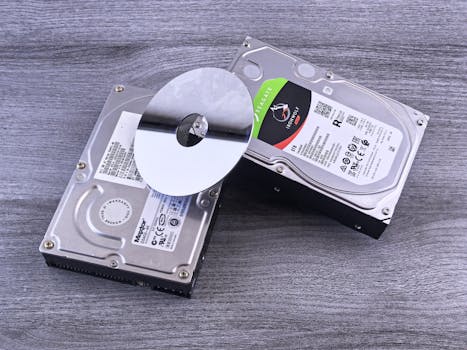
Introduction to Mac Data Recovery
Experiencing data loss on a Mac can trigger a range of emotions, from mild annoyance to severe stress, especially when the files are crucial, like personal memories or essential work documents. However, the process of Mac data recovery can often be more straightforward than anticipated. This comprehensive guide provides a detailed walkthrough on how to tackle data loss, covering everything from typical causes to recovery techniques, and how to prevent future incidents.
Common Causes of Data Loss on a Mac
.png)
Data loss on Mac computers can stem from several sources:
- Accidental Deletion: Mistakenly deleting files or formatting a drive.
- Hardware Malfunctions: Issues such as hard drive failures or damaged storage components.
- Software Corruption: Software errors or failures can corrupt files or entire storage systems.
- Virus Attacks: Malicious software can delete or corrupt data.
- Update and Transfer Errors: Disruptions during system updates or file transfers may lead to data loss.
Steps to Prepare for Data Recovery
To maximize the chances of data recovery, follow these preliminary steps:
- Cease Using the Mac: Continuing operations might overwrite the data you wish to recover.
- Identify the Cause: Understanding the root of the data loss will guide the recovery strategy.
Mac's Built-In Recovery Solutions
MacOS is equipped with tools designed to assist in data recovery:
- Time Machine: For users with Time Machine configured, restoring lost files is often straightforward. Navigate through the interface to select and restore files from a backup made prior to the data loss.
- Recovery Mode: By starting the Mac in Recovery Mode, users can access Disk Utility to perform disk repairs, which might indirectly facilitate data recovery by resolving disk access issues.
Third-Party Recovery Software
When built-in tools are insufficient, third-party software becomes a viable option. These applications are engineered to deeply scan storage devices to recover data:
- Disk Drill: Known for its robust recovery capabilities and user-friendly interface.
- Stellar Data Recovery: Offers extensive file support and recovery solutions.
- EaseUS Data Recovery Wizard: Praised for its intuitive design and efficiency.
Select software based on key features like file preview options, comprehensive file type support, and user feedback.
Professional Recovery Services
For severe data loss scenarios, such as physical damage to a drive, professional data recovery services are advisable. These services are typically more costly but are valuable for critical data recovery, leveraging advanced tools and experienced technicians.
Strategies to Prevent Future Data Loss
Implementing preventive measures is crucial to safeguarding data:
- Routine Backups: Regularly schedule backups with Time Machine or other reliable services.
- Update Regularly: Keep all software up to date to mitigate vulnerabilities.
- Antivirus Software: Protect your Mac from malware and viruses with security software.
- Proper Shutdowns: Always shut down properly and eject external drives safely.
Wrapping Up
Though data loss is challenging, effective recovery solutions are available for Mac users. By understanding the nuances of data loss and evaluating all available recovery options—from DIY approaches to professional interventions—you can select the most appropriate solution. Prevention, however, remains the best approach, emphasizing the importance of backups and cautious system management to avoid future data loss issues.